Planning
The whole company's week, delivery delays included
A planning tool that knows what a job site is: teams and jobs on a Gantt or calendar view, supplier deliveries on the same timeline — and when a delivery slips, the site shifts in one click and the client is informed automatically.
Gantt and calendar views
Sites as bars over the weeks or jobs day by day: drag a bar to shift a site, its deliveries follow.
Delivery delays under control
Orders carry their needed-by and delivery dates: a late delivery is flagged in red, with the sites it impacts and the shift that fixes the schedule.
The client informed automatically
Rescheduling a site prepares the client e-mail — reason, new dates — so a delay never turns into an awkward silence.
Inside the module
Real screenshots of the application — not mockups.
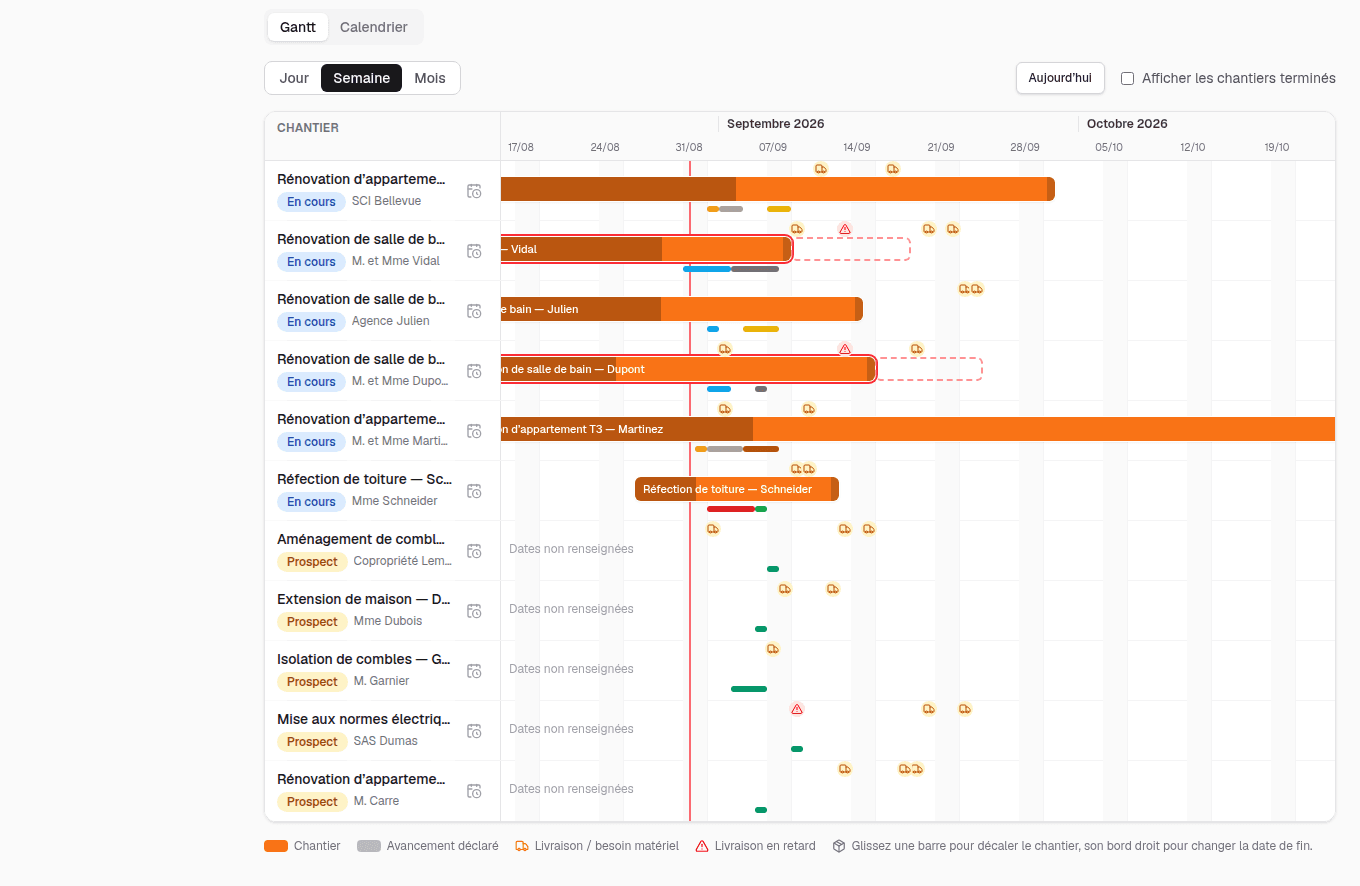
Sites and deliveries on one timeline
Every site as a bar, its declared progress underneath, and the deliveries it depends on pinned to the same timeline — late ones in red.
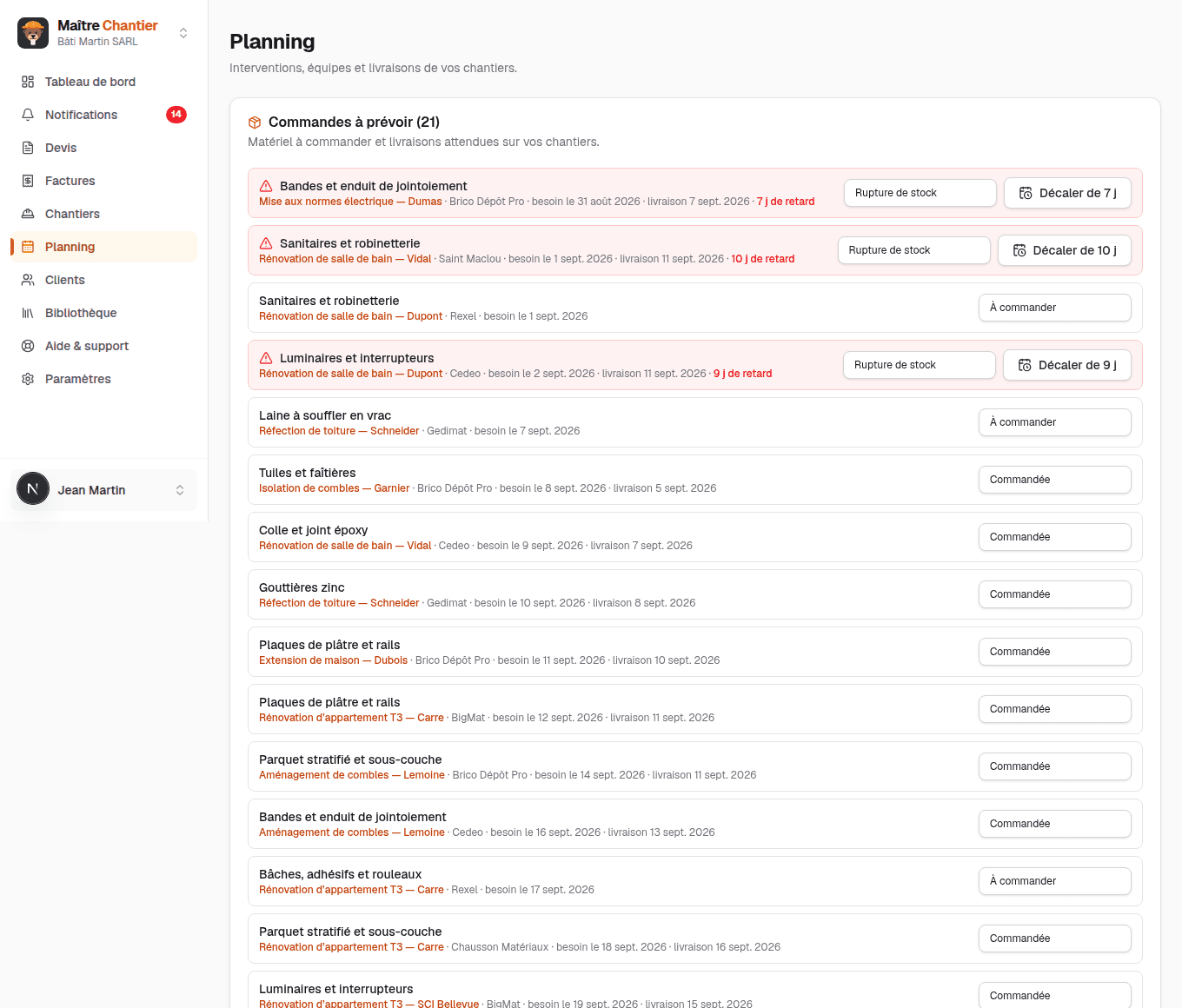
Deliveries to watch, delays to absorb
Material to order and deliveries expected on your sites — the ones running late are flagged with the impacted site and a one-click shift that keeps the schedule honest.
Frequently asked questions
- Can I postpone a site without redoing the whole schedule?
- Yes. You shift the site and, if you want, every site that follows: dates, jobs and the needed-by dates of the orders all move together.
- Is the client told when the dates change?
- Shifting a site prepares the e-mail to the client, with the reason and the new dates. You read it over, you send it.
- Do supplier deliveries show on the schedule?
- Yes, on the same timeline as the sites, with their expected date. A late delivery is flagged in red, along with the sites it is holding up.
The trades that use it
Other modules
Ready to take back control of your admin?
30-day free trial, no credit card. Create your account in a minute, or explore the demo with realistic site data.