Site tracking
Every site under control, from first dig to handover
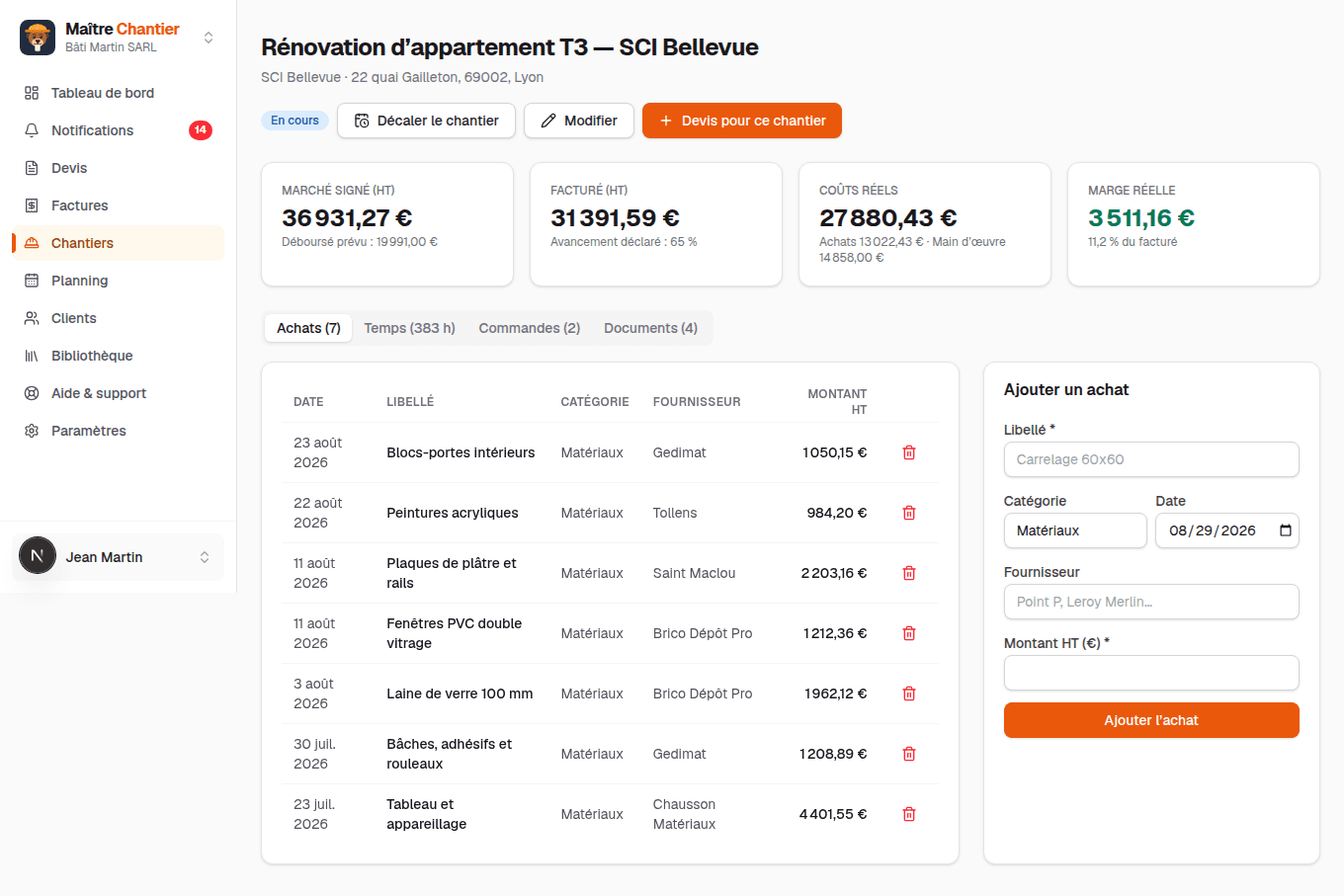
One page per site: purchases, labour hours, supplier orders and documents — logged as the job goes, so the site's real cost is always up to date against its signed contract.
Purchases logged in seconds
Supplier, category, amount: a purchase takes ten seconds to record and lands straight in the site's real costs.
Labour hours counted
Hours are tracked per site and valued at your loaded rate, so labour stops being the blind spot of your margins.
Supplier orders and lead times
Orders are attached to the site with their expected delivery date — the ones that slip are flagged before they block the job.
Inside the module
Real screenshots of the application — not mockups.
The site's real numbers, live
Signed contract, invoiced, real costs, margin: the four figures that matter sit on top, fed by every purchase and hour logged below.
The whole company's sites
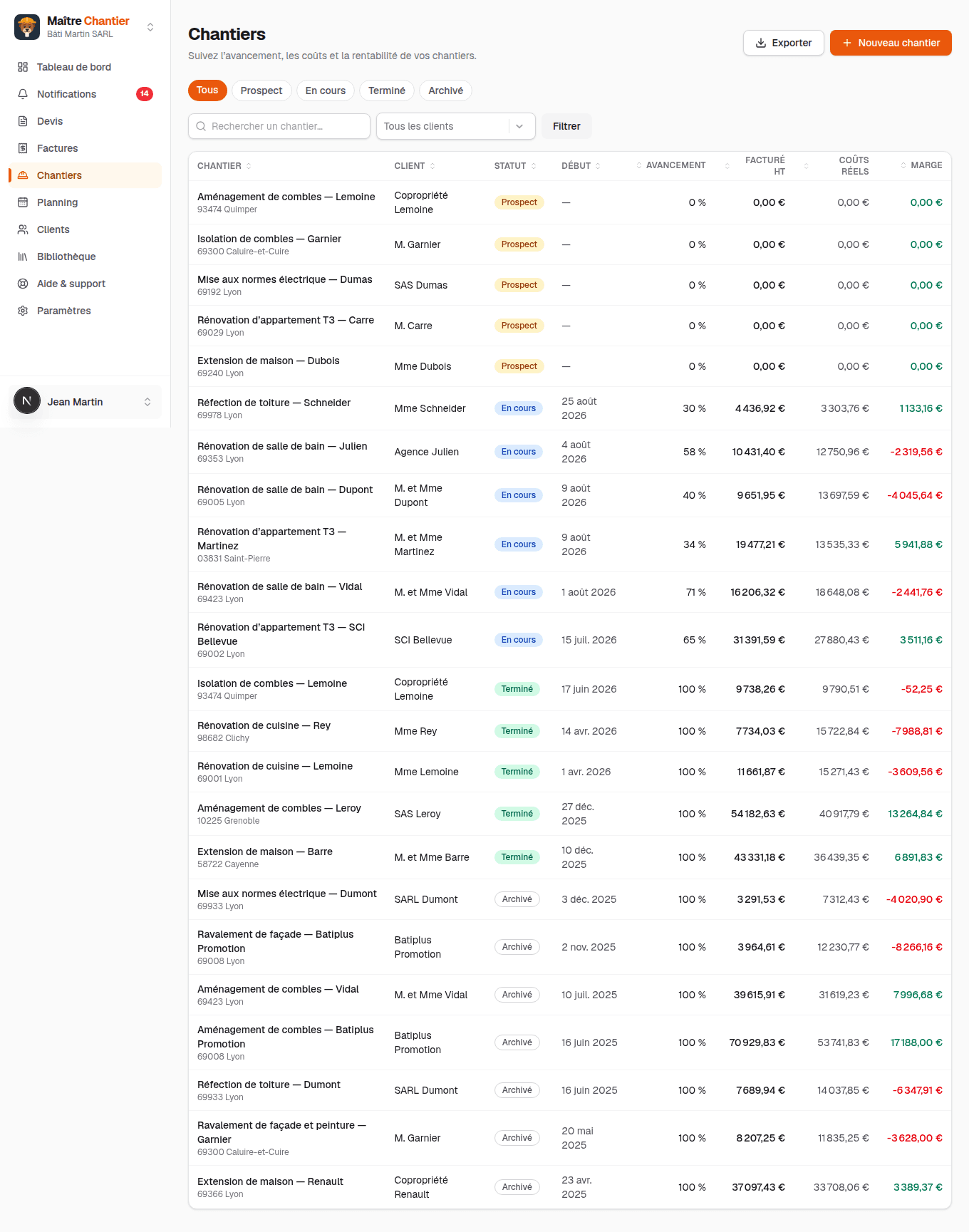
Pending, in-progress, completed and archived sites: the whole book of work with each site's status and progress.
Frequently asked questions
- Do purchases have to be entered one by one?
- A purchase is a supplier, a category and an amount: ten seconds. That is what lets the real cost be held against the signed contract, site by site.
- How are labour hours counted?
- Hours are entered per site and valued at your loaded hourly rate, set once in the settings. They enter the site's cost exactly as purchases do.
- What happens when a delivery is late?
- The order turns late and surfaces on the dashboard with the sites it affects. You shift the site — and the ones after it if needed — in one action, and the client can be told by e-mail.
The trades that use it
Other modules
Ready to take back control of your admin?
30-day free trial, no credit card. Create your account in a minute, or explore the demo with realistic site data.